local_scribbles

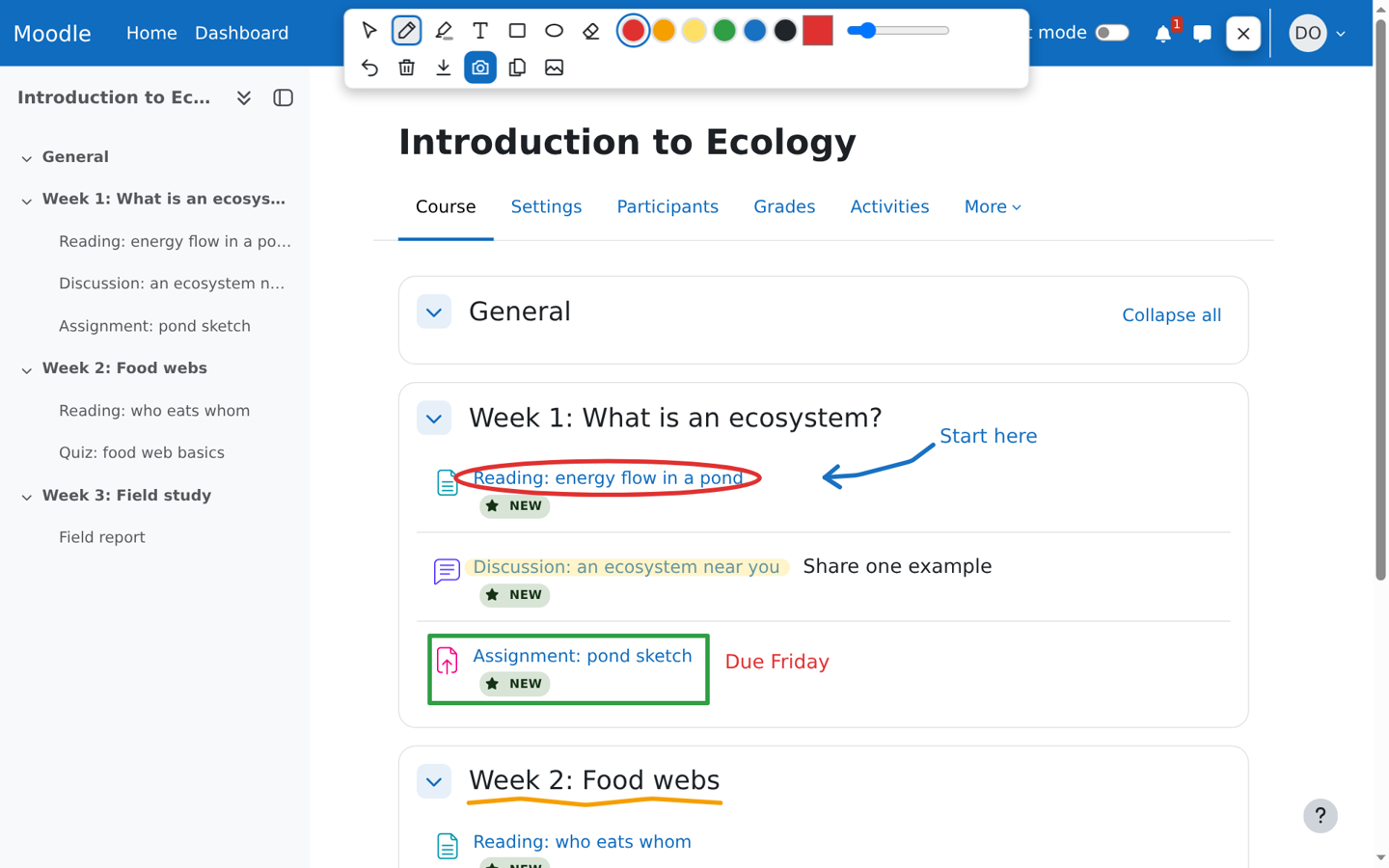
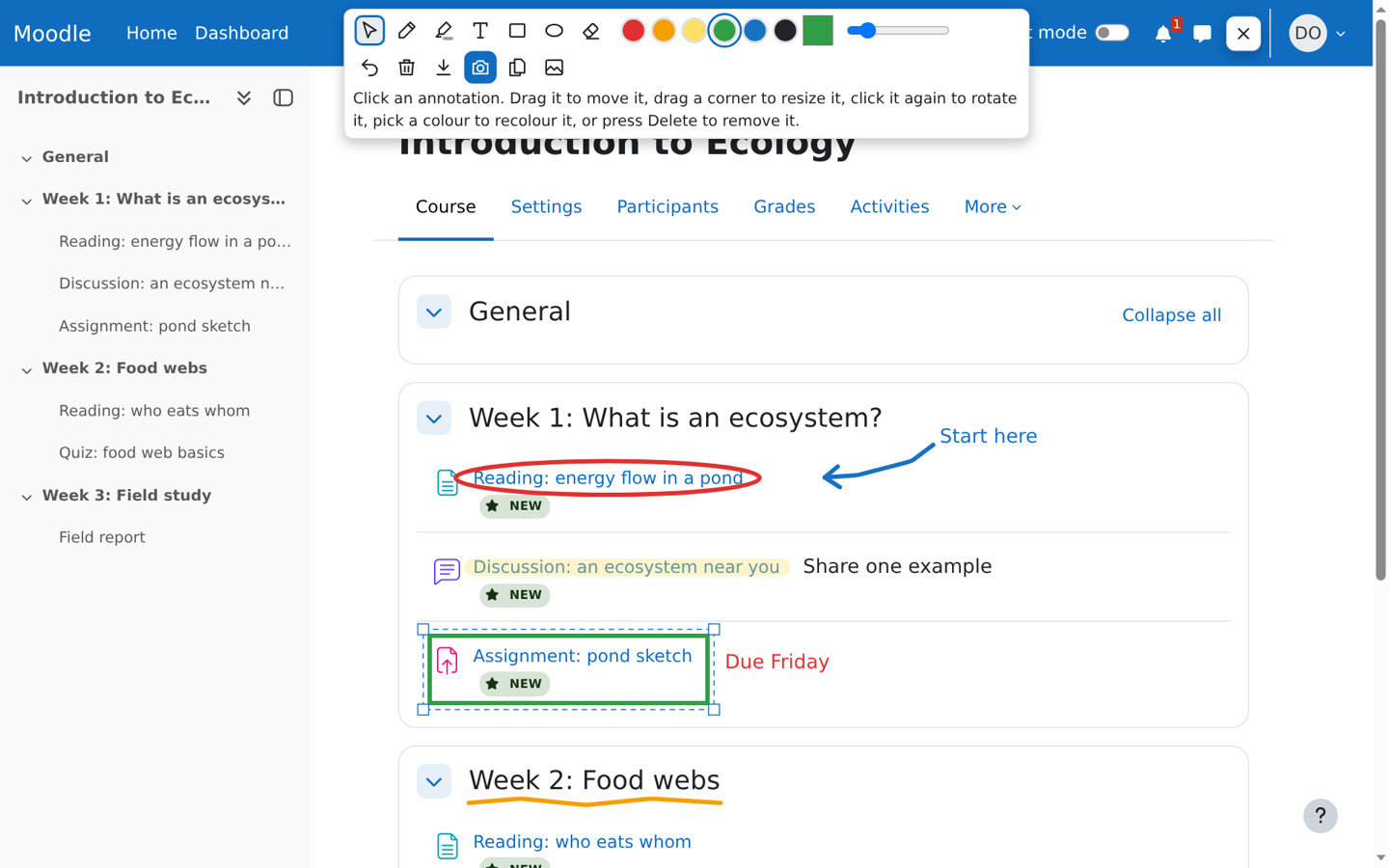
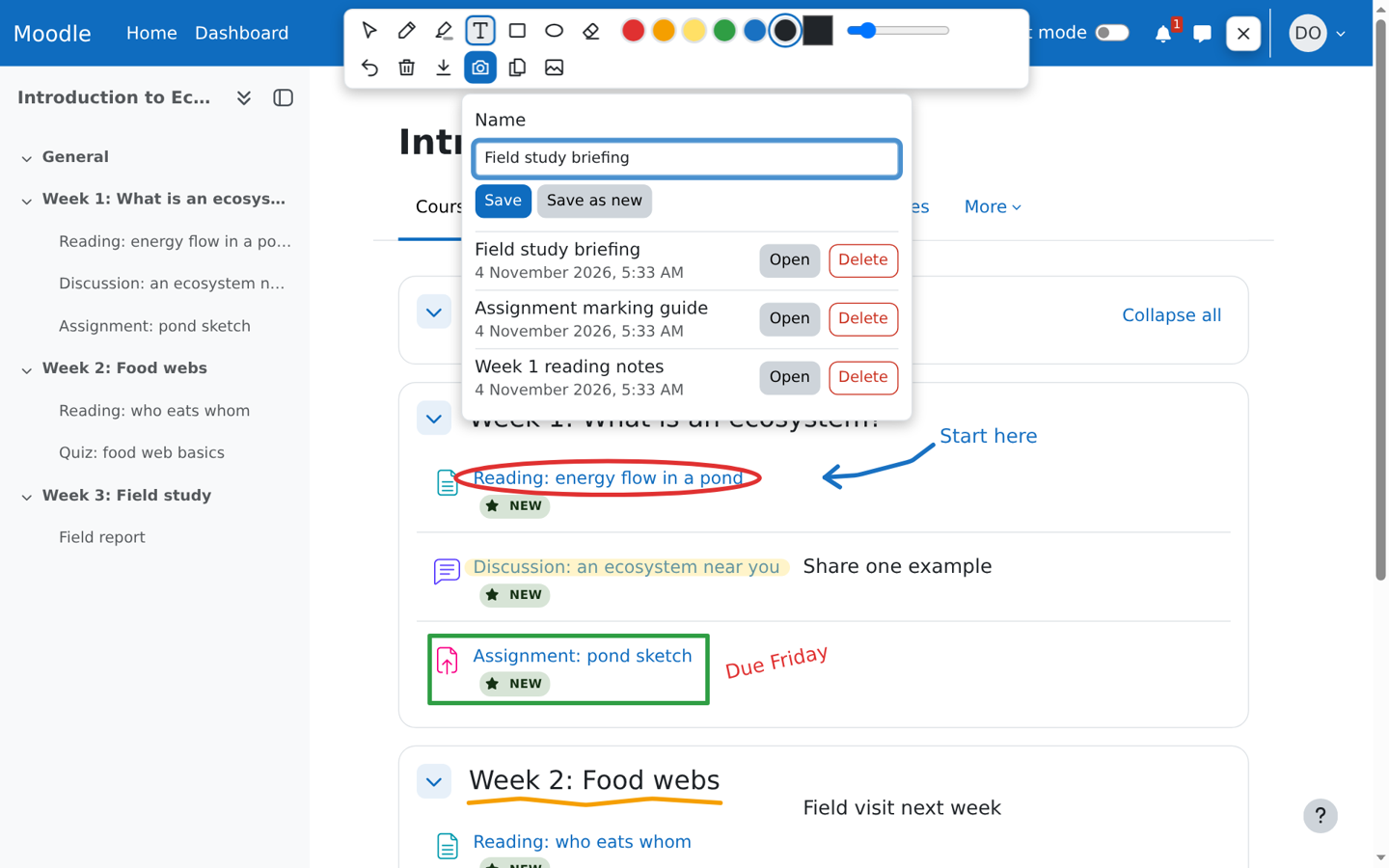
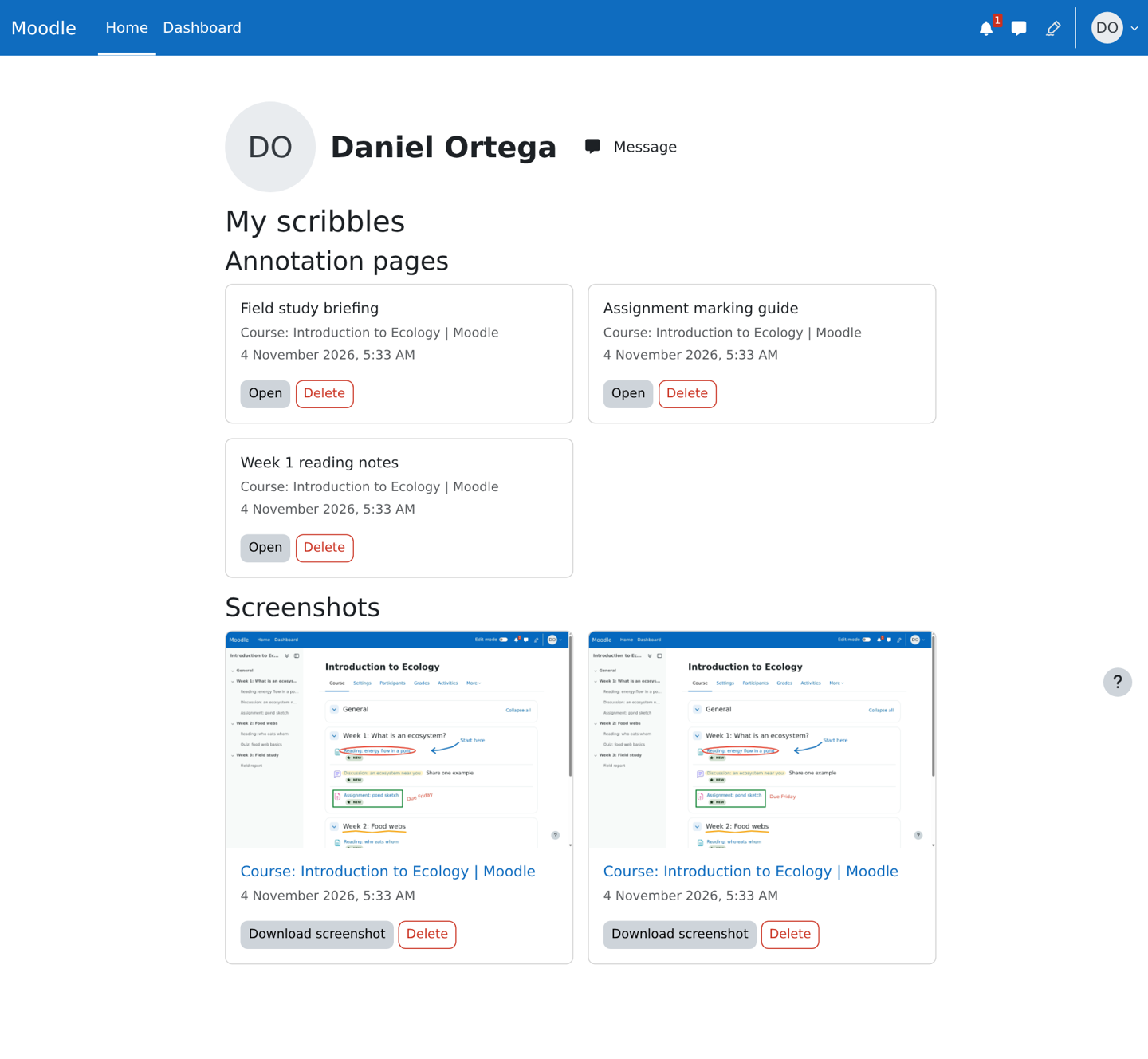
Draw on any Moodle page with pen, highlighter, text, box and ellipse tools, edit the annotations afterwards, save them as pages to reopen, or keep a screenshot.
verified and archived by the registry · newer than the source platform's last reported tagDownload and compatibility
verification ledger
Source tagged by maintainer
github.com/adamjenkins/moodle-local_scribbles @ v0.1.1 · commit 78155cddfd22
Rebuilt deterministically from that tag
canonical ZIP, byte-identical on every rebuild
Artifact hash recorded in the public index
sha256 83a7528c6c46f537daa9159b21dc3af16e6af74e23f12efce59b9a5bcdb06937
Release signed · trusted publishing
planned — TUF signing (RFC §4.3)
Recorded in public transparency log
planned — Sigstore/Rekor (RFC §4.3)
composer require adamjenkins/moodle-local_scribbles
About
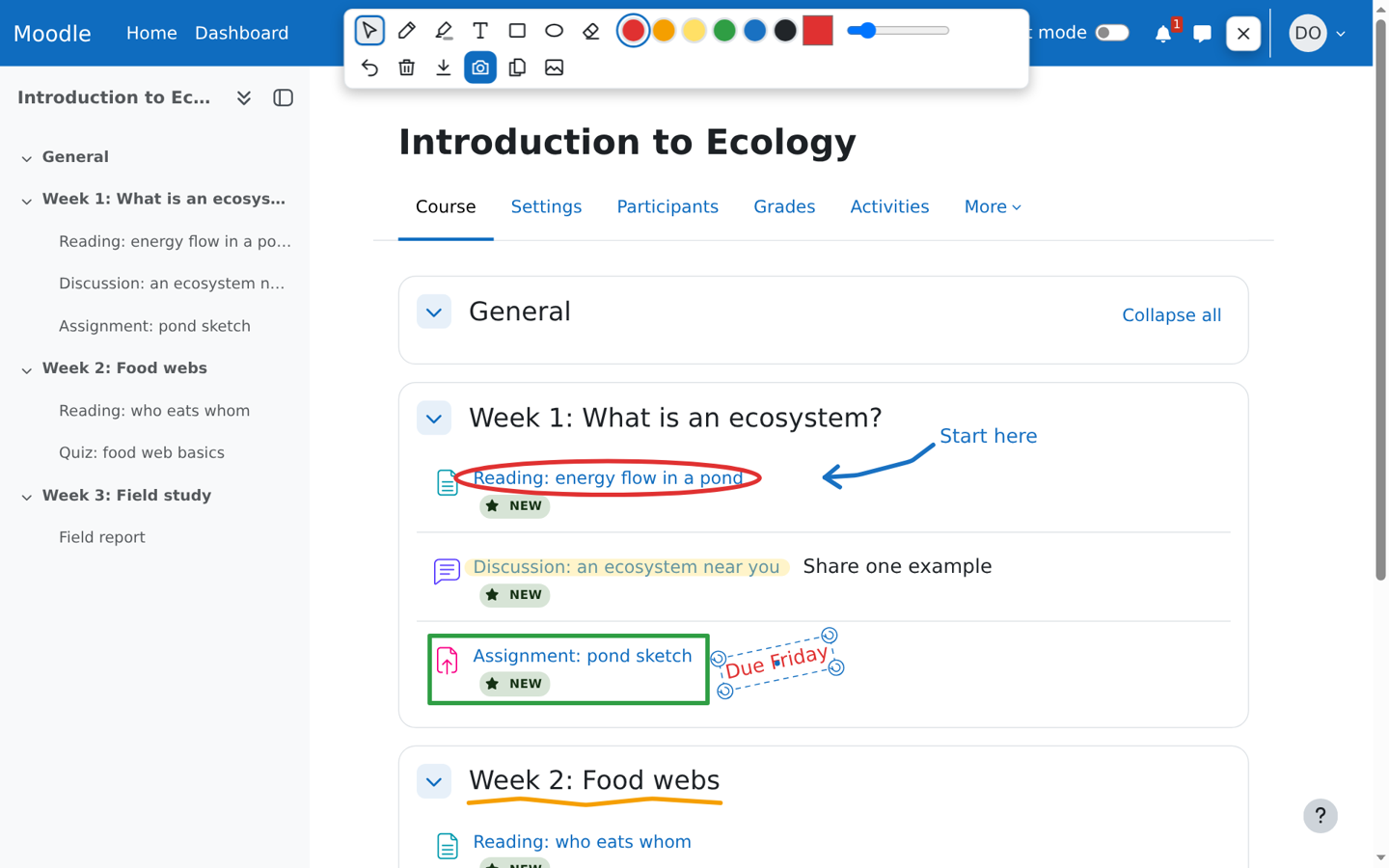
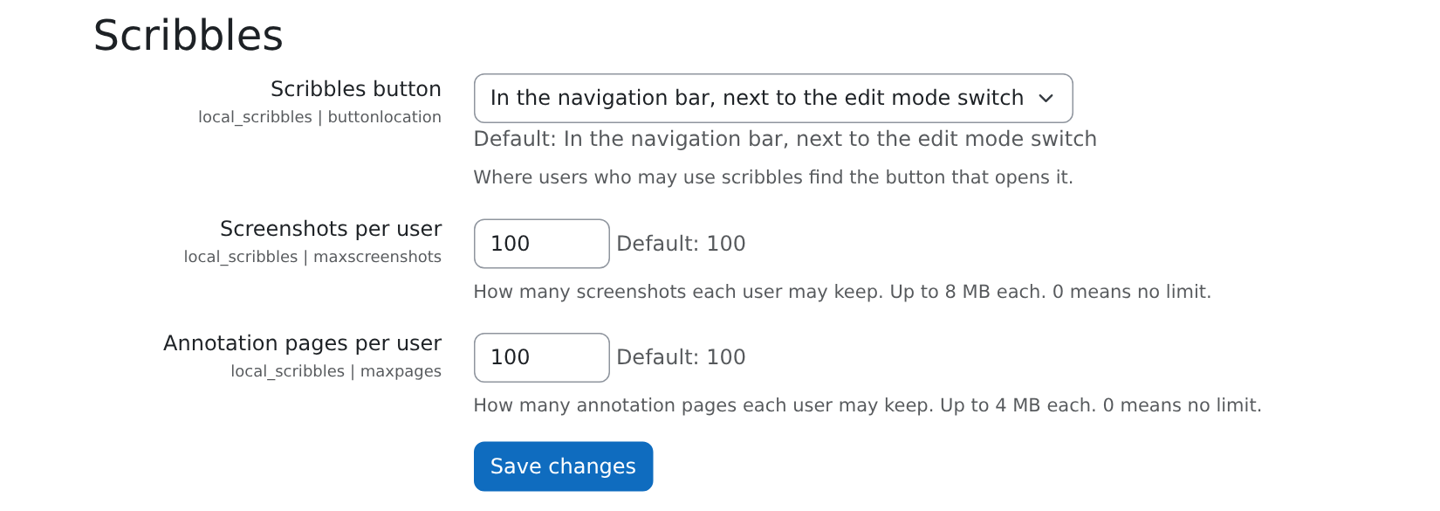
A button next to the edit mode switch opens a transparent drawing layer over the page, and the same spot closes it. Annotations stay editable: select one to move, resize, rotate, recolour or delete it, with undo throughout. Save the annotations as an annotation page and open it again later to carry on editing, or download a screenshot or save it to My scribbles. Each person sees only their own saved items, and administrators set how many each user may keep. Screenshots use the browser's own screen capture, so they need an HTTPS site. It changes no core code and needs no external services.