tool_wizards

Wizards that help teachers new to Moodle create a course and add activities by answering a few plain questions at a time, which site admins can customise, translate, build and share.
verified and archived by the registry · newer than the source platform's last reported tagDownload and compatibility
verification ledger
Source tagged by maintainer
github.com/adamjenkins/moodle-tool_wizards @ v0.3.1 · commit 5f7b7e27438d
Rebuilt deterministically from that tag
canonical ZIP, byte-identical on every rebuild
Artifact hash recorded in the public index
sha256 d95ee97ea73dd4ee97dc5ae5645b811efc07c9ed4e5db4708788063ffd4263de
Release signed · trusted publishing
planned — TUF signing (RFC §4.3)
Recorded in public transparency log
planned — Sigstore/Rekor (RFC §4.3)
composer require adamjenkins/moodle-tool_wizards
All versions
About
New teachers often get lost in Moodle's long settings pages. Wizards asks a few plain-language questions at a time instead, one theme per screen, and passes the answers to Moodle's own forms, so everything else keeps your site's usual defaults.
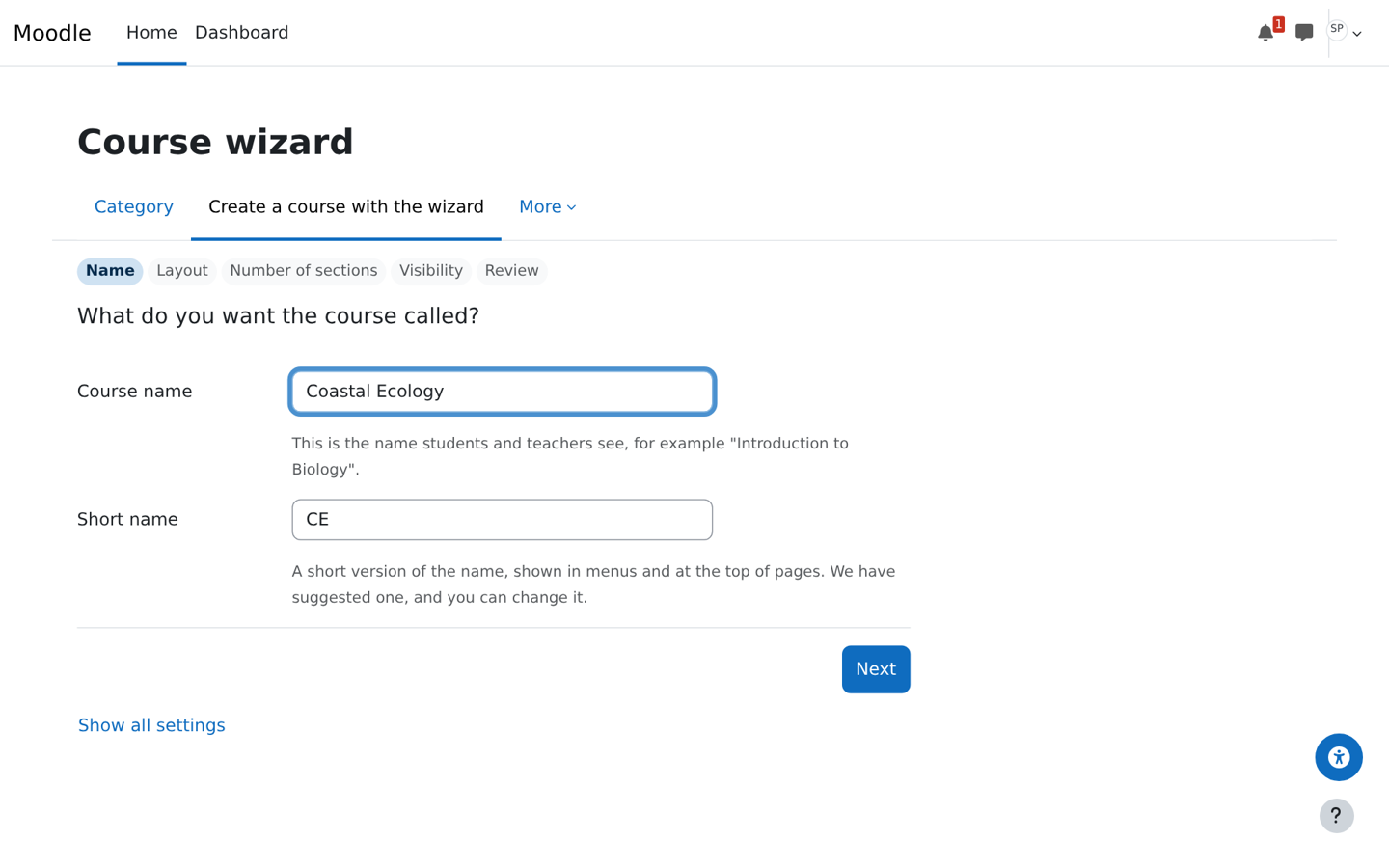
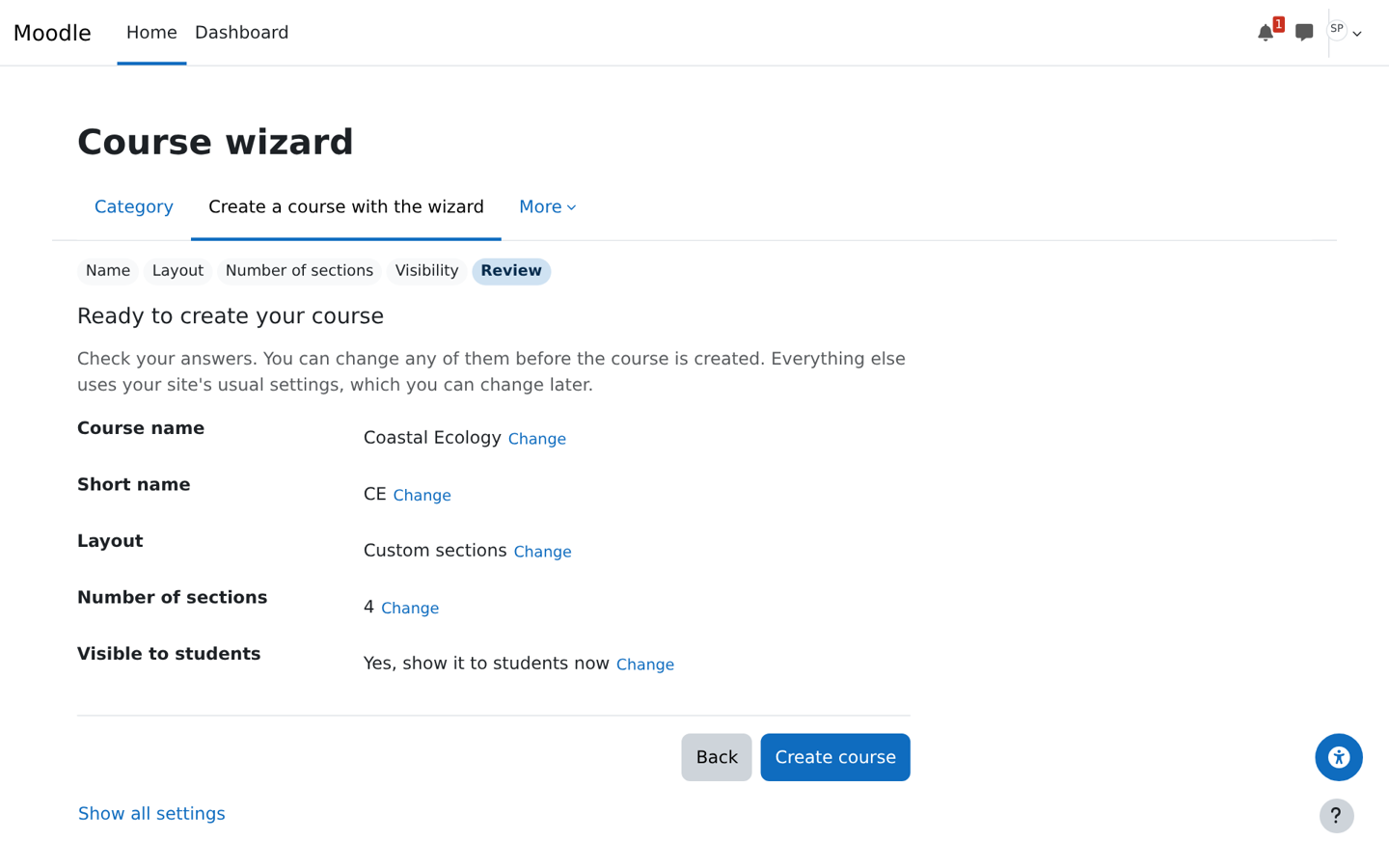
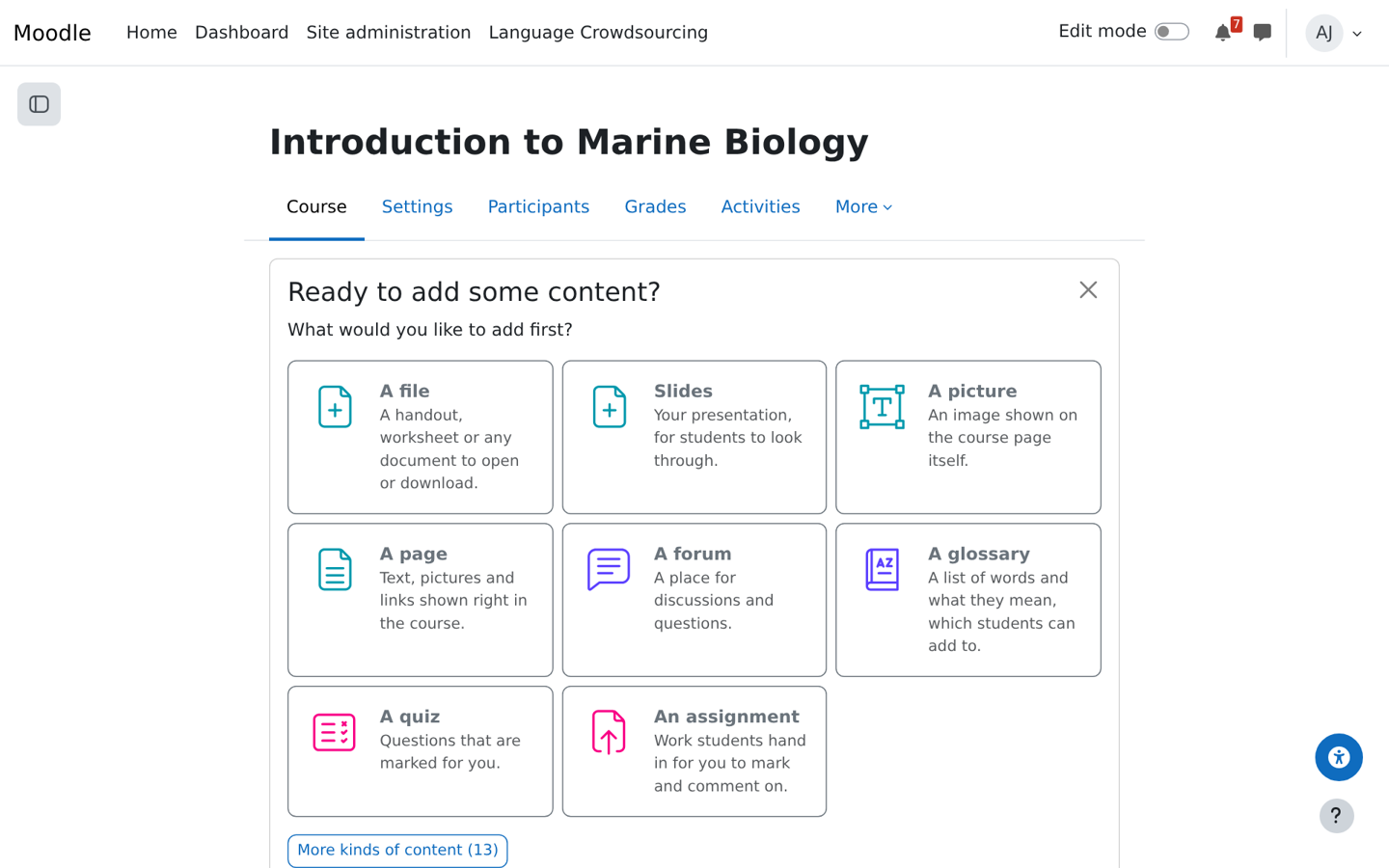
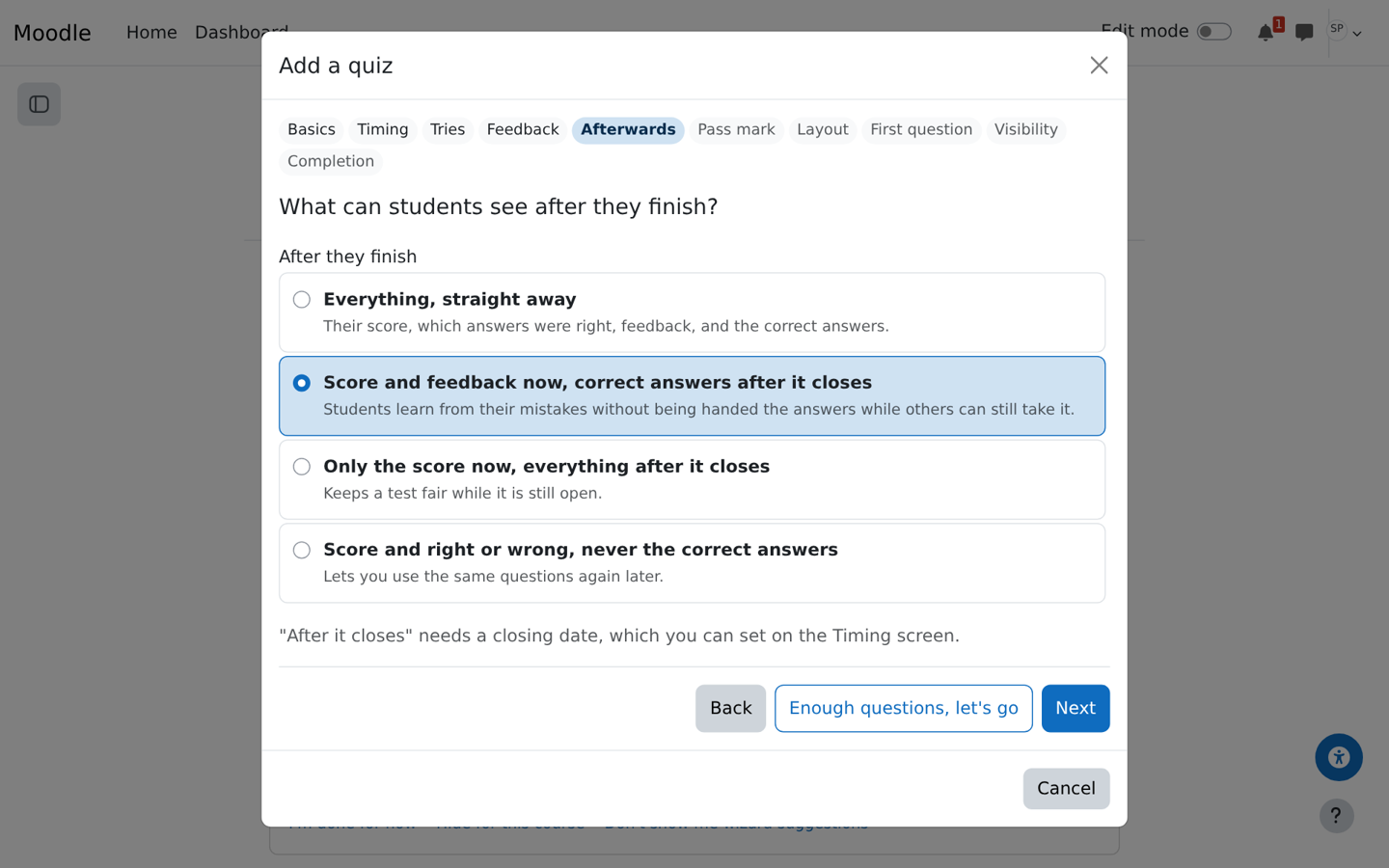
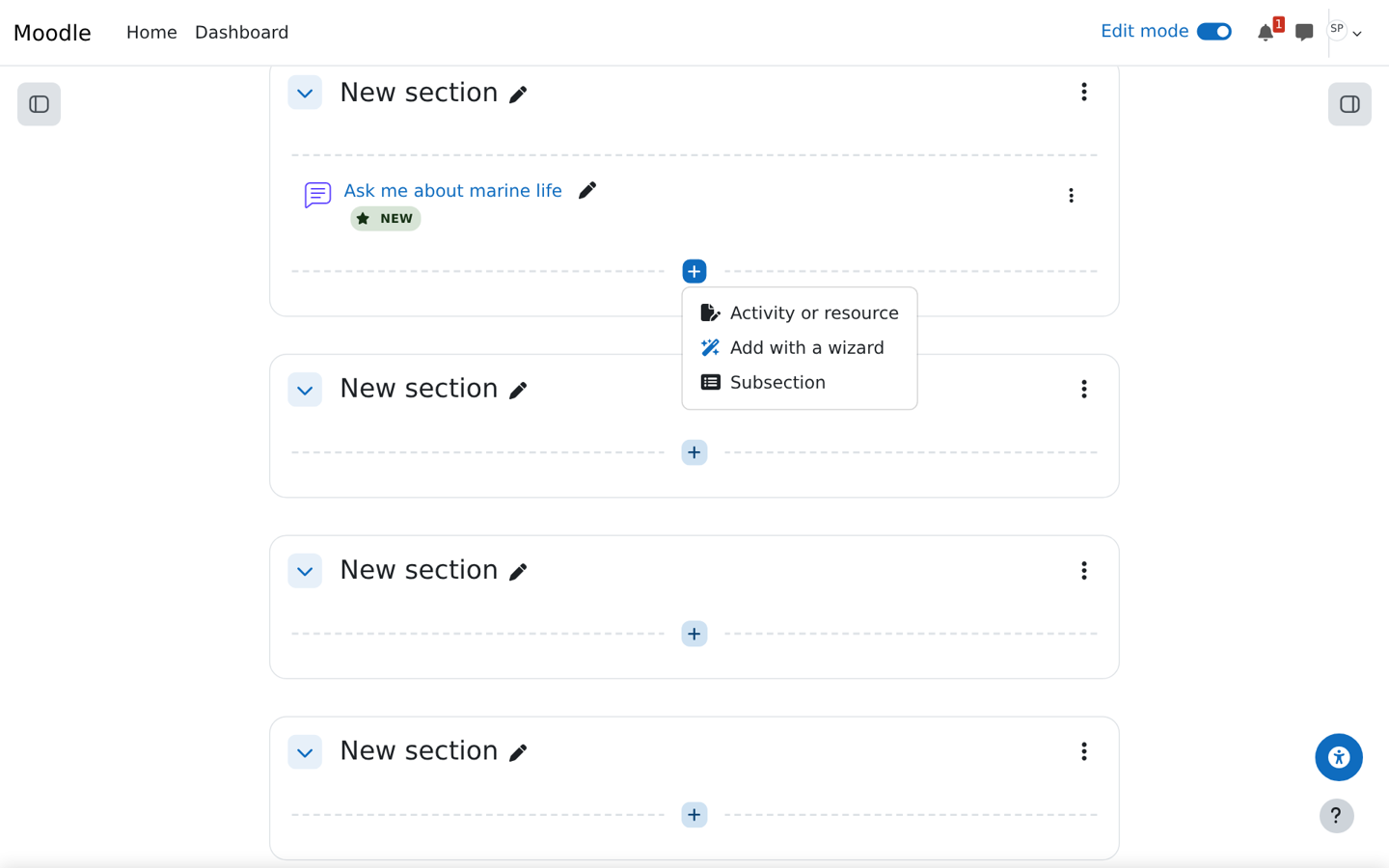
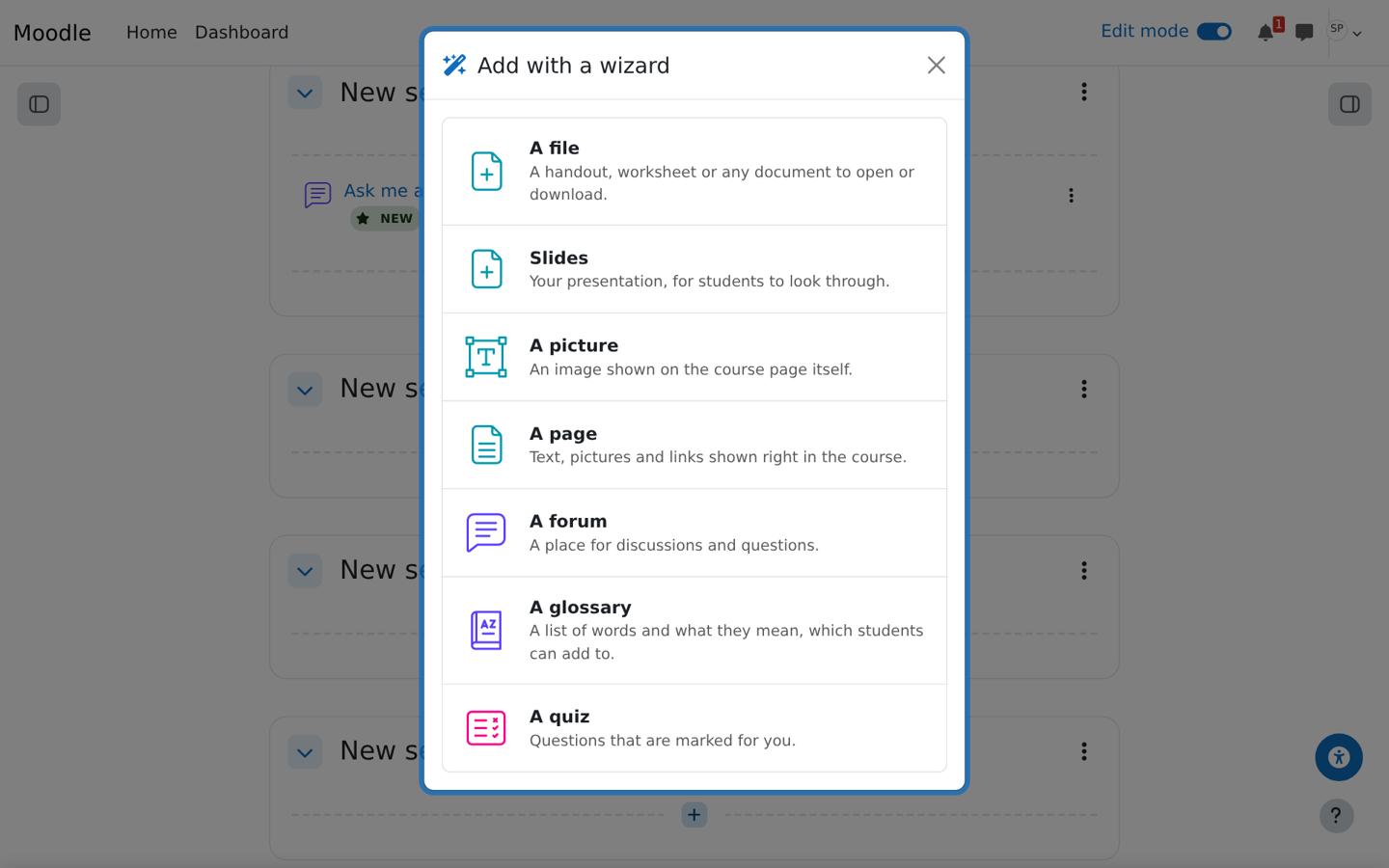
The course wizard creates a course step by step and shows a review before anything is created. Every core activity and resource has a wizard, from files, pages and forums to assignments, lessons, workshops, SCORM and question banks. Each starts by asking what it is for, as picture cards, and fills in the later screens to suit. "Enough questions, let's go" creates it at any point. A new course offers them on a "What would you like to add first?" card, and in edit mode "Add with a wizard" is in every section's add menu.
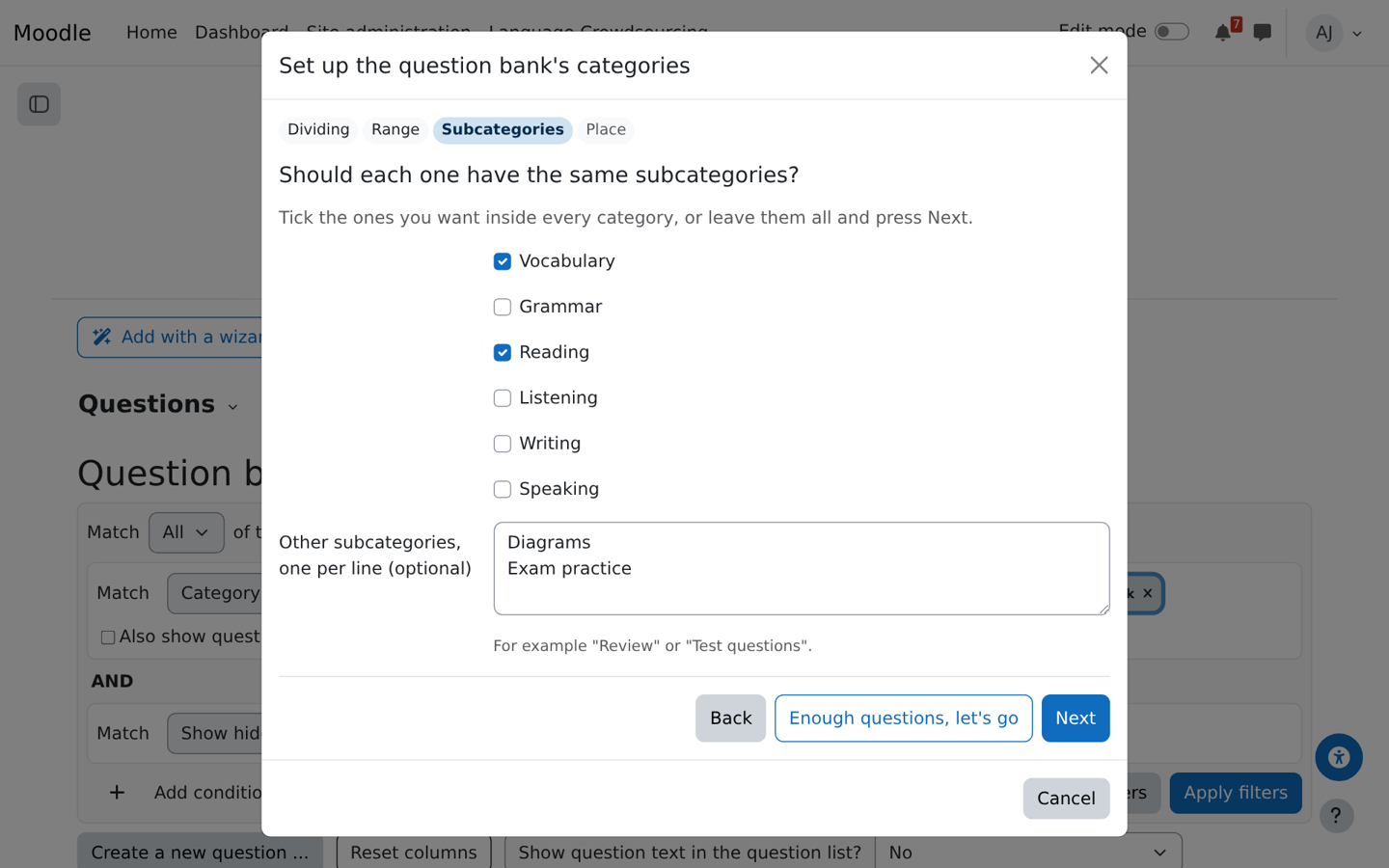
In-activity wizards then fill the activity, one item at a time with "Add another": quiz and question bank questions, question bank categories (for example one per textbook chapter, each with vocabulary and grammar inside), lesson pages, book chapters, glossary entries, database fields, feedback questions, choice options and a workshop's assessment form. Only teachers who can edit the course see the wizards.
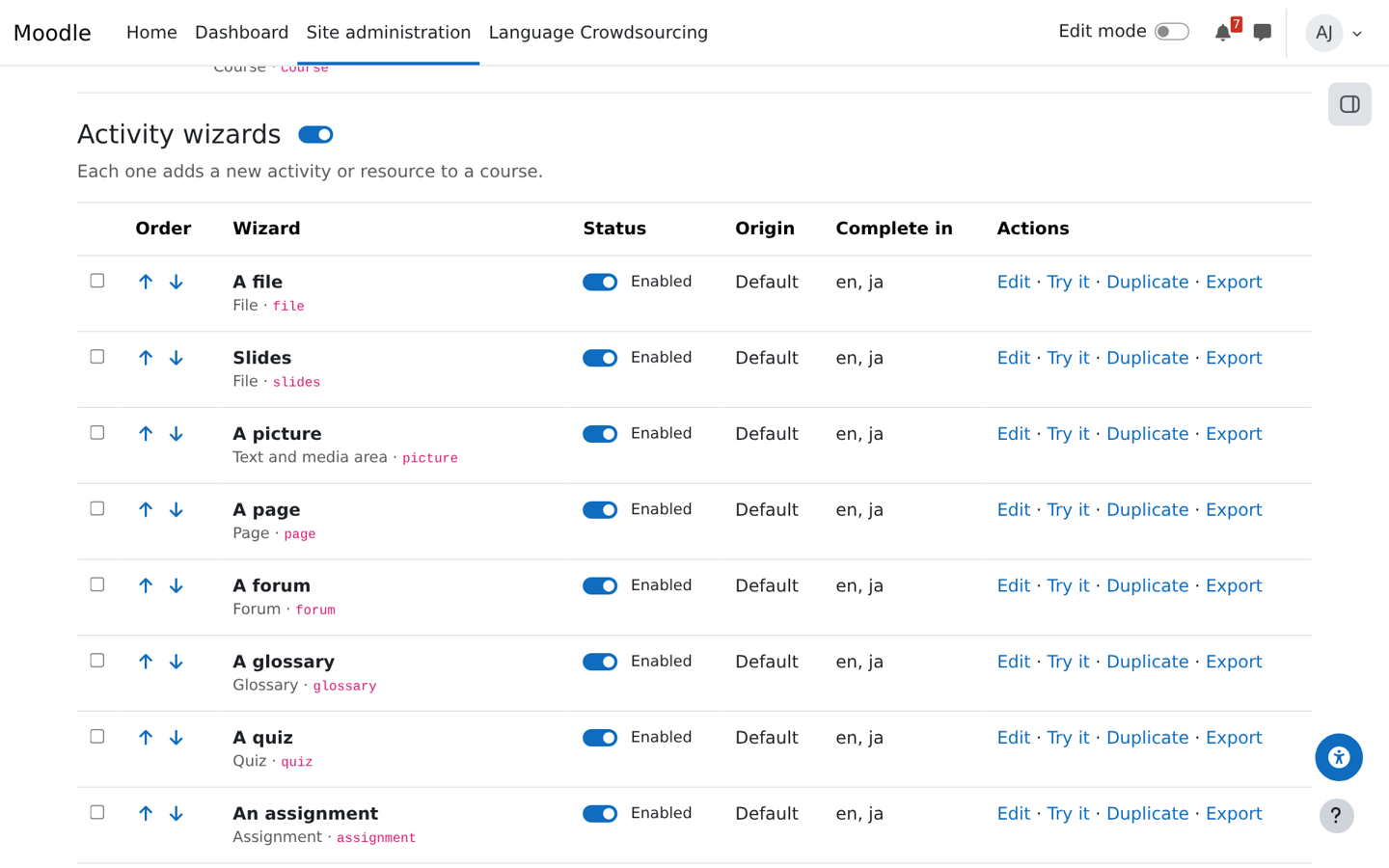
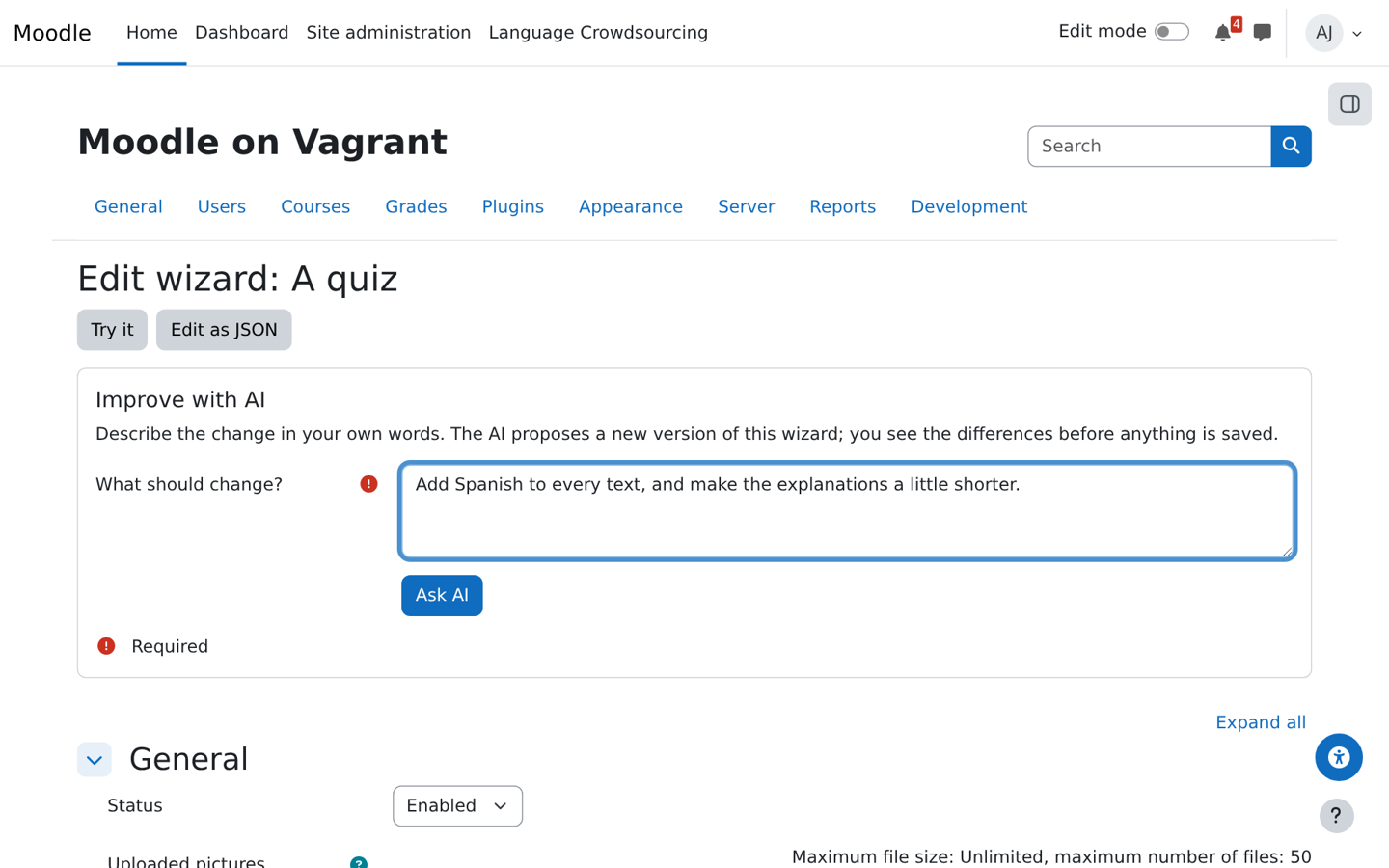
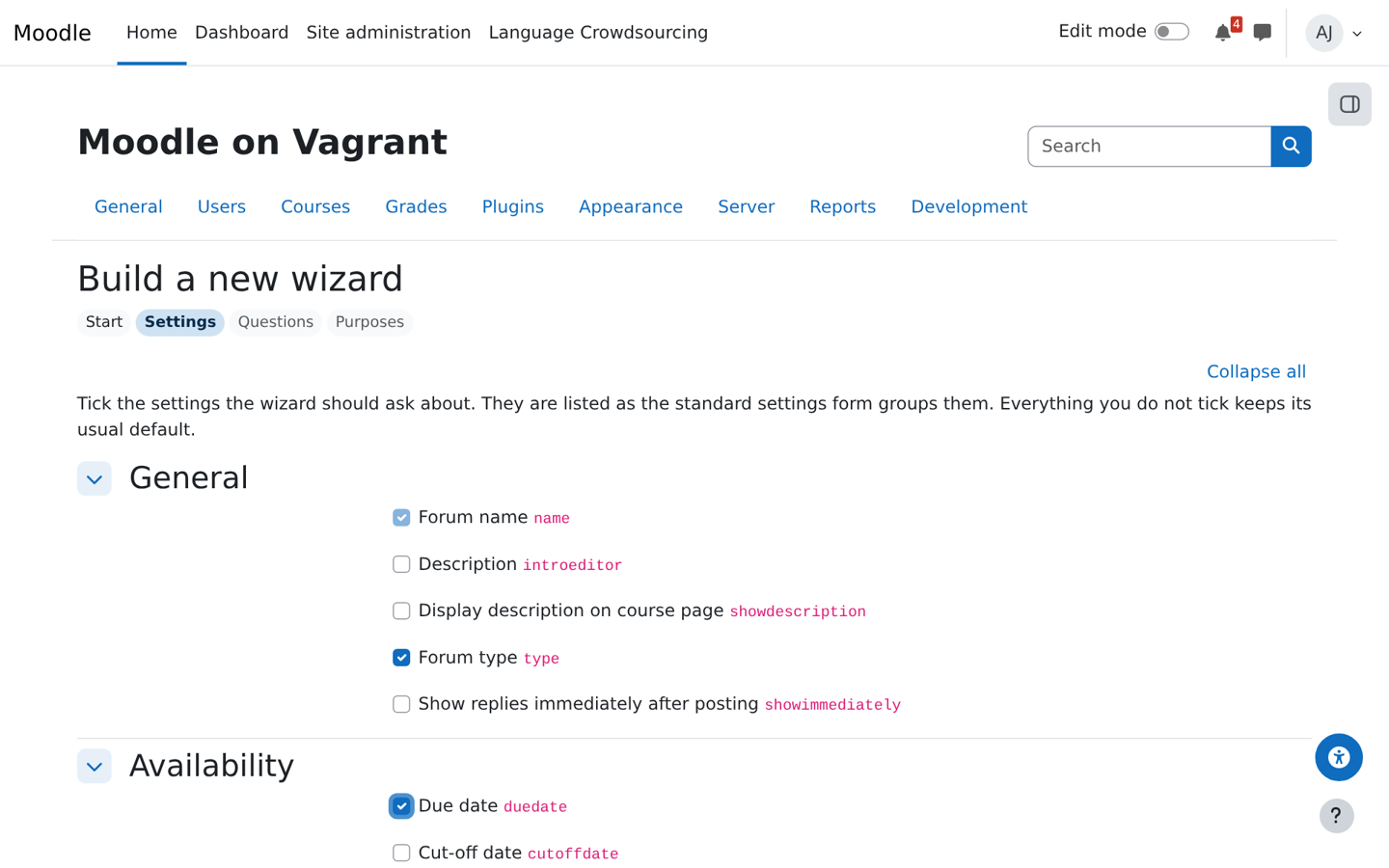
Site administrators manage the wizards like User tours: switch them on or off with a switch per wizard or per group, reorder, reword them in every language, change pictures, try them without creating anything, and export or import them in bulk, as a zip or one JSON file. A wizard builder makes new wizards from any activity's own settings. Wizards can be improved with Moodle's AI subsystem, or with any AI assistant using the included runbook. Optionally works with Teacher scaffold.