Vault - Site backup and migration


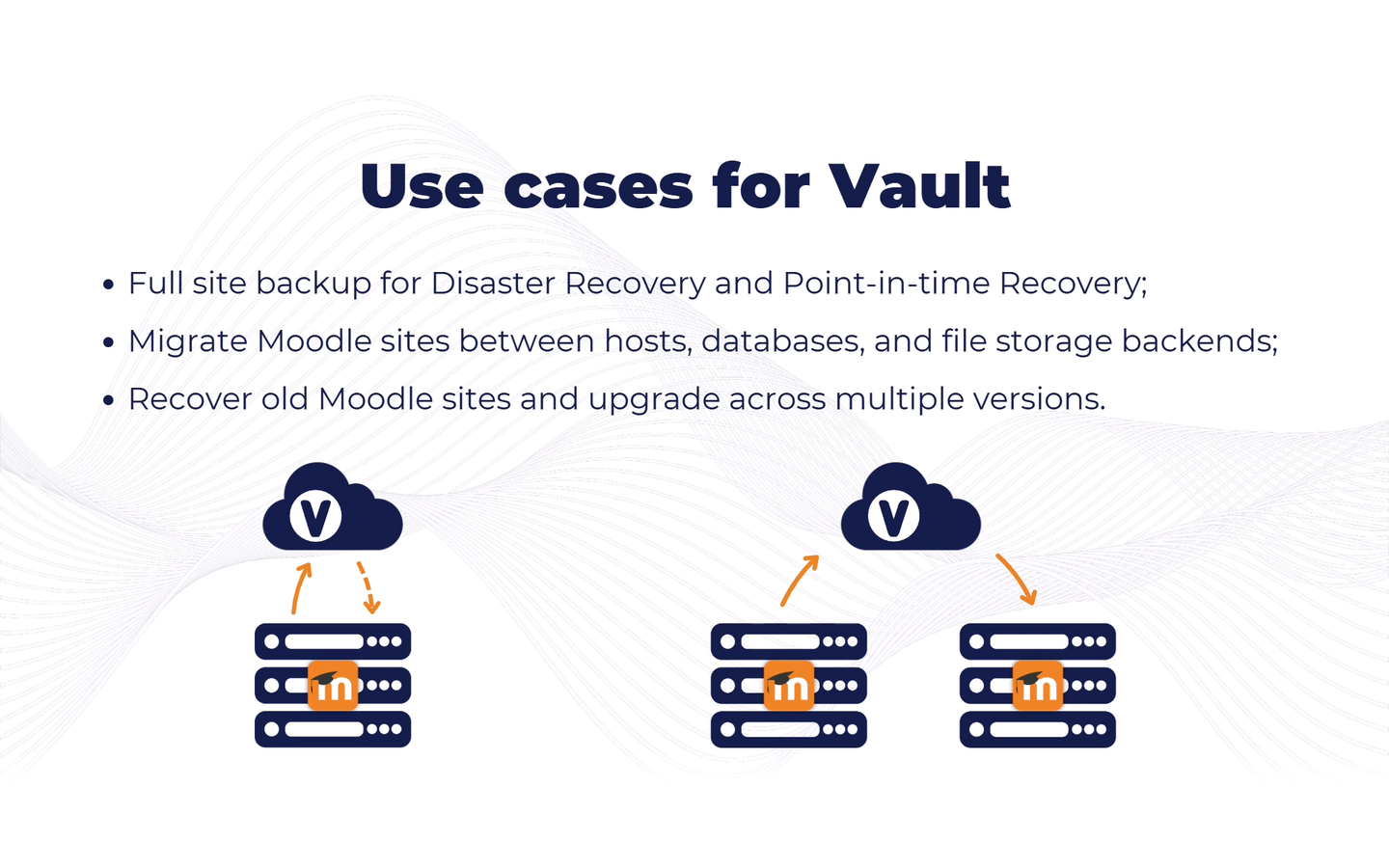
Vault makes a full backup of a Moodle site, pushes it to the cloud and restores it on any other Moodle site.
reported by the source platform · not verified or archived by the registryDownload and compatibility
verification ledger
Source tagged by maintainer
github.com/lmscloud-io/moodle-tool_vault @ v4.5.3 · commit 52ef774fe76b
Rebuilt deterministically from that tag
canonical ZIP, byte-identical on every rebuild
Artifact hash recorded in the public index
sha256 4195679e109348866068871d33c76c91dde744061e574c94bb5f48af35329a7f
Release signed · trusted publishing
planned — TUF signing (RFC §4.3)
Recorded in public transparency log
planned — Sigstore/Rekor (RFC §4.3)
 reviewed 2026-09-29
composer require lmscloud-io/moodle-tool_vault
All versions
About
Vault copies a whole Moodle site (database, files and dataroot), stores the copy in the cloud and restores it onto any other Moodle site. Use it to move a site between servers or hosting providers, to clone production into a staging site, or to keep an off-site copy of a site you are about to upgrade.
Backups and restores are started from the admin interface or from the command line. Vault runs pre-checks first, so problems such as database schema modifications, missing plugins or insufficient disk space surface before any data is transferred.
What Vault does
- Exports and imports the database: structure, schema modifications, table contents and sequences.
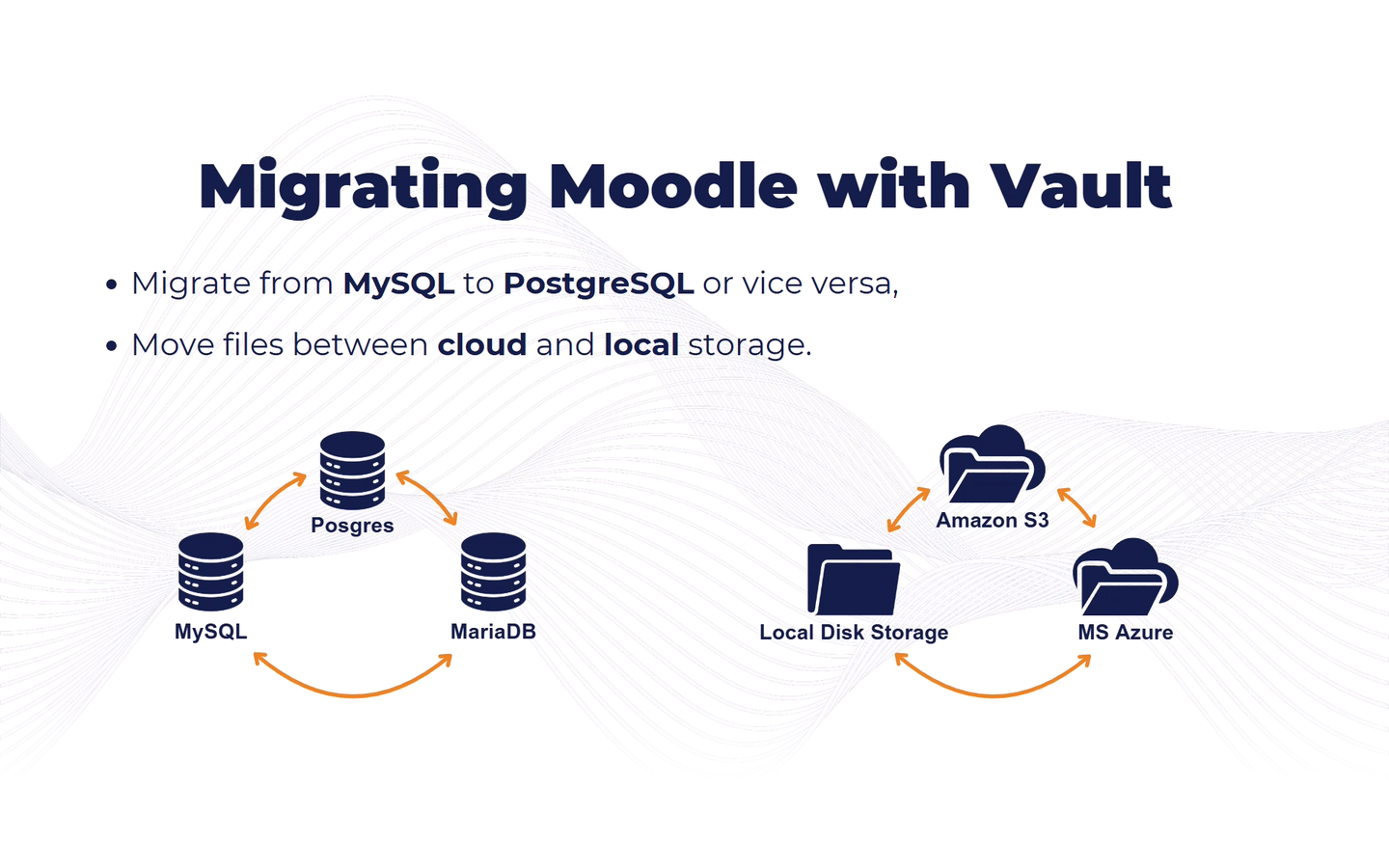
- Restores into a different database type, not just a different version, for example from MySQL to PostgreSQL or the other way round.
- Works entirely through the Moodle DML layer. Access to
mysqldumporpg_dumpis not needed. - Exports and imports all files, whichever file system they live on (local disk, S3, and so on). The file system on the restored site can differ from the one on the backed up site.
- Exports and imports the additional folders in the dataroot.
- Performs the necessary post-restore actions: purges caches, kills all sessions and, optionally, resets the site identifier and uninstalls plugins that are missing from disk.
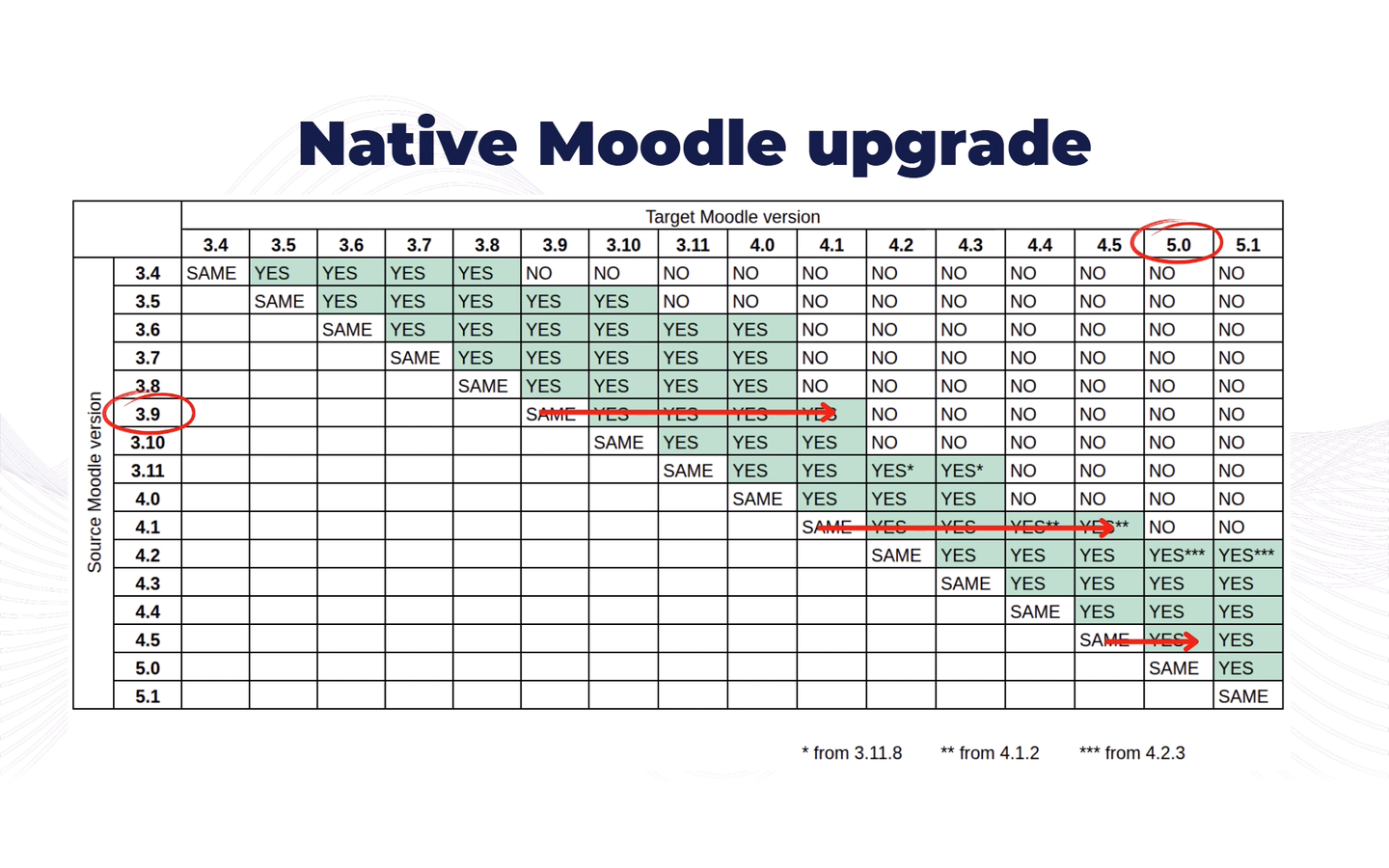
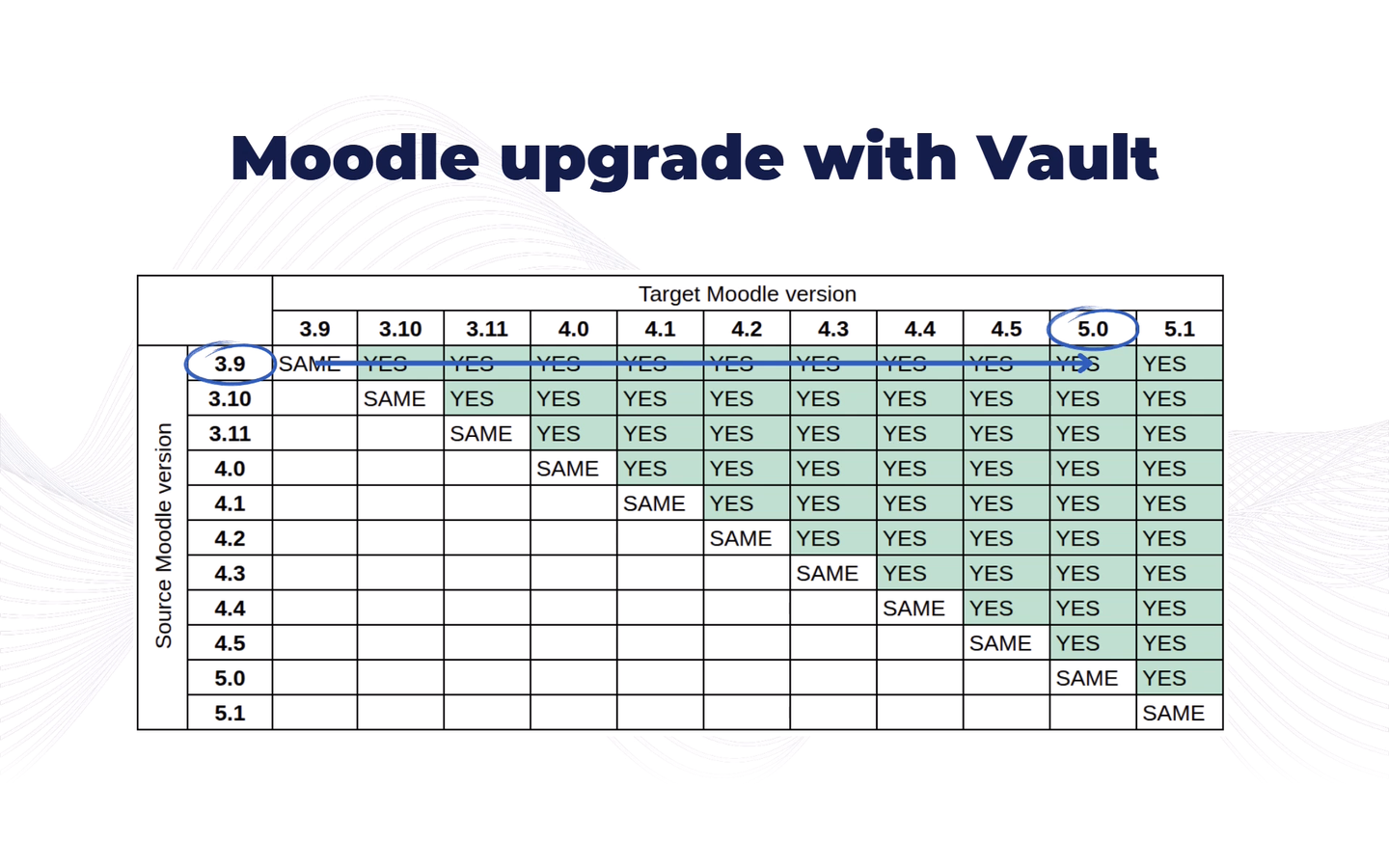
- Can upgrade the site straight after restore. Vault ships with the upgrade steps that core Moodle has since removed, so a backup of an old site can be restored into a much newer one, for example back up Moodle 3.9 and restore into Moodle 5.2.
- Packages and transfers data in batches, so even large sites only need a few GB of free temporary disk space.
What Vault does not do
- Moodle code and add-on plugin code are neither backed up nor restored. Vault handles data only.
- Vault does not back up or restore its own tables and configuration.
- Individual plugins can be excluded from the backup, or have their data preserved during restore (with some limitations).
Requirements
- The plugin must be installed on both sites: the one you back up and the one you restore to.
- The site you restore to must already have Moodle installed. A fresh installation is fine.
- The site you restore to must run the same or a higher Moodle version than the backed up site.
- Supported databases: PostgreSQL, MySQL and MariaDB. Other database types are not supported yet.
- Enough free space in the temp directory on the backed up site, and enough space for the downloaded files on the site you restore to.
Account, security and pricing
Backups are stored in the cloud, so an account on lmsvault.io and an API key are required. A free account covers backup and restore of small sites with up to 7 days of cloud retention; larger sites and longer retention are covered by the paid plans.
All data is encrypted in transit with TLS and encrypted at rest in the cloud. On some plans you can additionally protect a backup with your own passphrase: the key derived from it is sent directly to Amazon S3 and never to the Vault API, and the same passphrase is then required to restore that backup.
Restore is disabled by default when the plugin is installed and has to be enabled deliberately,
so adding Vault to a production site cannot lead to that site being overwritten by accident. It
can also be locked down from config.php, or the plugin can be restricted to CLI use only.
Videos
- Backup and migration of Moodle sites with Vault
- Backup and migration of Moodle sites with Vault, part 2: how it works
More information and pricing at lmsvault.io.
Project
4.5.3 · 2026-09-29 4.5.1 · 2026-05-13 · not in the archive 3.9.17 · 2026-04-30 · not in the archive 4.5.0 · 2026-04-23 · not in the archive 3.9.16 · 2026-04-17 · not in the archive