QuickNote


Help students study better without leaving Moodle. QuickNote lets learners capture quotes, write notes in a native sidebar, and jump right back to the original text.
verified and archived by the registry · newer than the source platform's last reported tagDownload and compatibility
verification ledger
Source tagged by maintainer
github.com/Matheu46/moodle-local_quicknote @ v45-0.13.0 · commit 69a67a3f44d3
Rebuilt deterministically from that tag
canonical ZIP, byte-identical on every rebuild
Artifact hash recorded in the public index
sha256 92fbc42f93554ed0229cc1947f434abd9fd6413b82a32a53255972015388f507
Release signed · trusted publishing
planned — TUF signing (RFC §4.3)
Recorded in public transparency log
planned — Sigstore/Rekor (RFC §4.3)
composer require matheu46/moodle-local_quicknote
All versions

About
Designed for the native Boost experience in Moodle 4.4 and 4.5+, QuickNote helps students capture important excerpts while reading course materials, connect those excerpts to personal reflections, and return to the exact place where learning happened.
Instead of forcing learners to copy text into external apps, QuickNote keeps the study workflow inside Moodle. Students can highlight a passage, save it instantly as a quote, add their own interpretation, and revisit the original context later through browser text-fragment navigation.
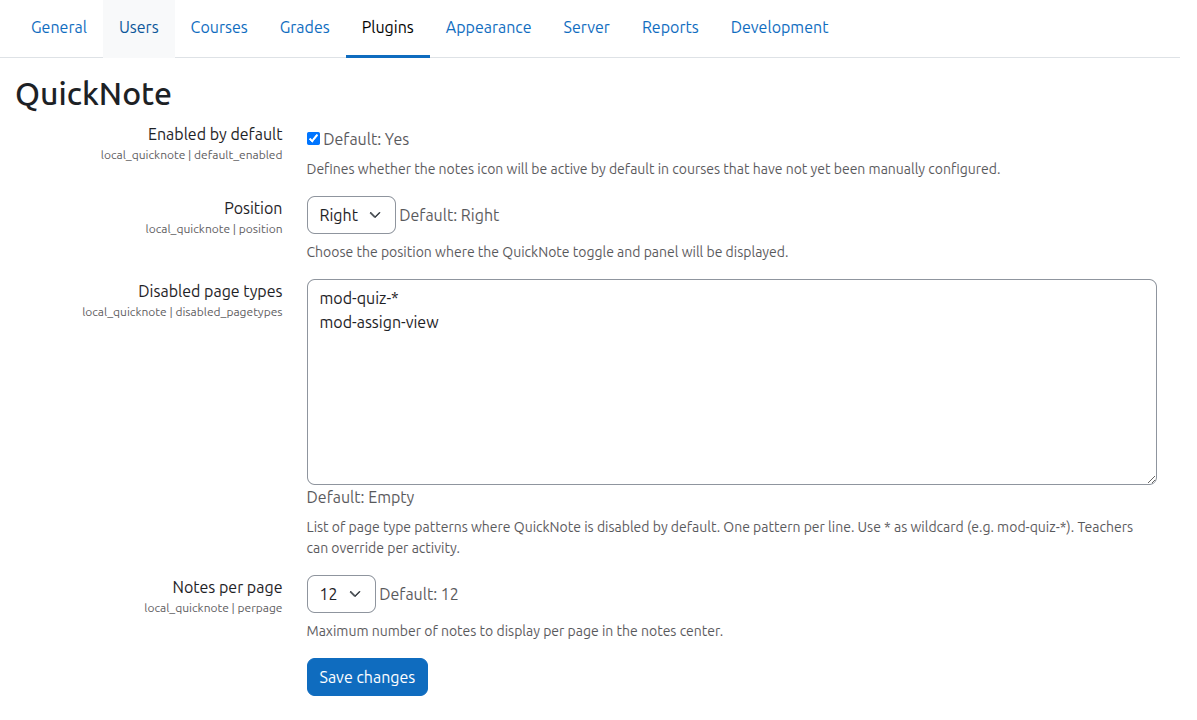
- Granular Control: Advanced settings for admins and teachers to control visibility per course or page.
- Highlight to Note: Save selections instantly as quotes.
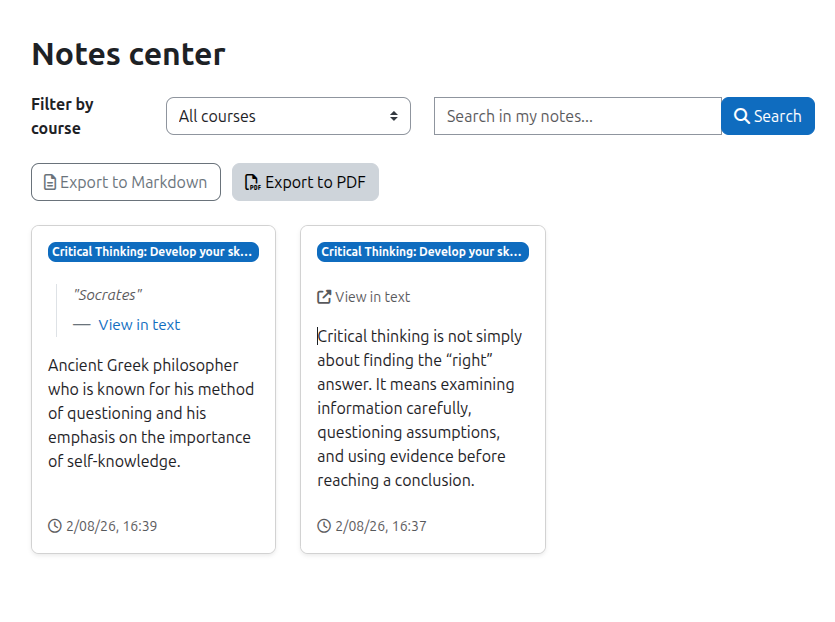
- Scroll to Text Fragments: Return users to the exact original passage and highlight it visually.
- Native Sidebar Drawer: Notes are managed inside a right-hand sidebar drawer integrated with Boost.
- Notes Center: Dedicated dashboard to view, search, and filter notes across courses.
- PDF & Markdown Export: Export compiled notes directly from the Notes Center.
- Auto-save & Core Safety: Background saving, Backup & Restore support, and auto-deletion on unenrollment.
Project
 0.9.0 · 2026-08-06 · not in the archive